 Coda Languez · Creative Engineering
MechApe
Turn project context
into creative work.
Bring your notes and reference files, choose a reusable skill, and develop your next draft, plan, or creative brief. Work locally or choose a cloud model.
Explore the workspace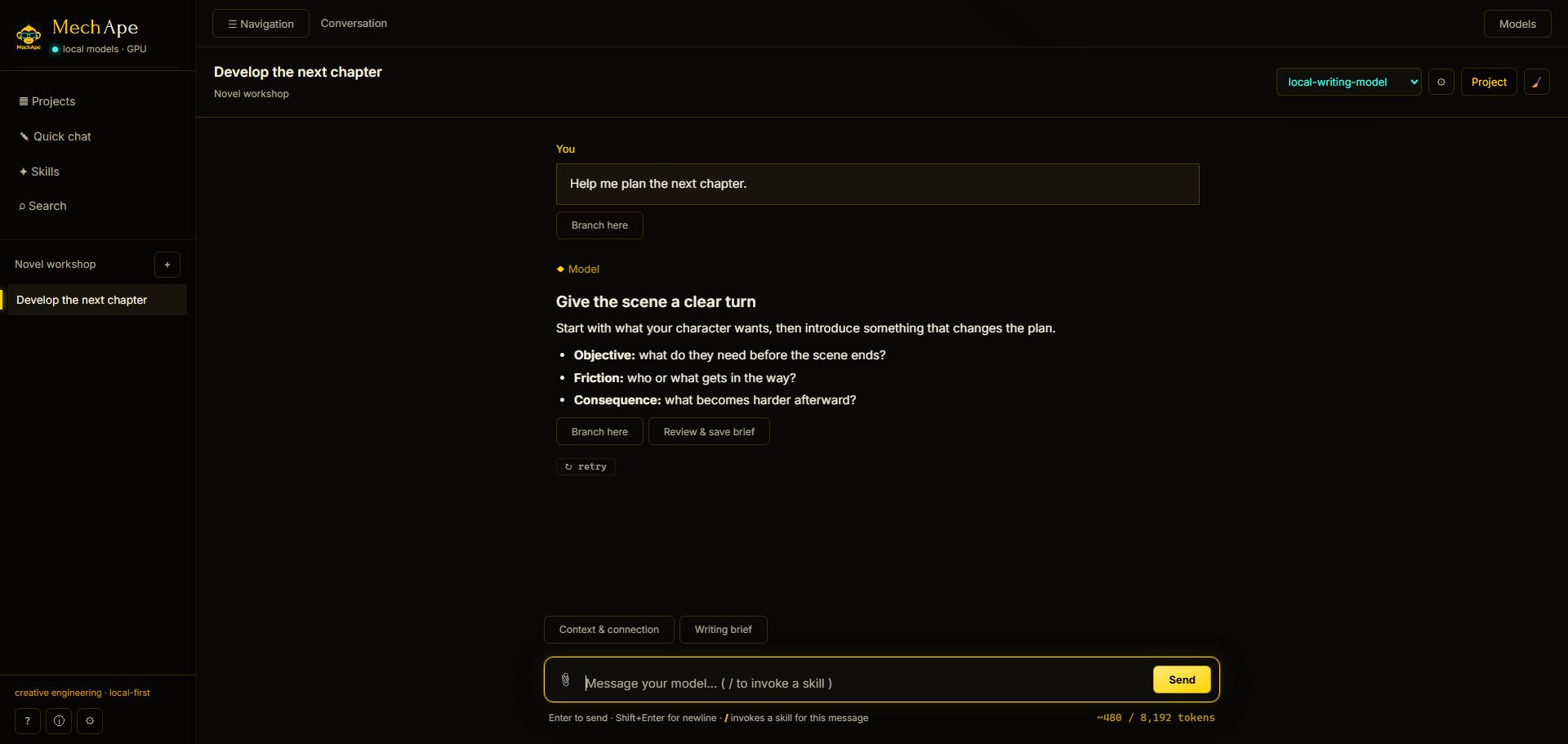
Files and instructions live with each project.
Reusable skills for writing, research, and planning.
Local models, or cloud access with your own key.
LOCAL MODELS BY DEFAULT — CLOUD MODELS BY CHOICE
The desktop workspace
Your creative workspace, on your terms
Keep local-model conversations on your machine, with optional cloud models when you choose them.
Desktop 2.0.1 interface captures with fictional projects, messages, and model labels. These illustrate the workflow, not a live model benchmark. Select a screenshot to view it at full size.
01 / CHATConversations grounded in your project
Stream replies, stop a response, inspect context, and branch into another direction. Draft a writing brief and review it before saving. Choose a local model or an optional cloud model using your own provider account.
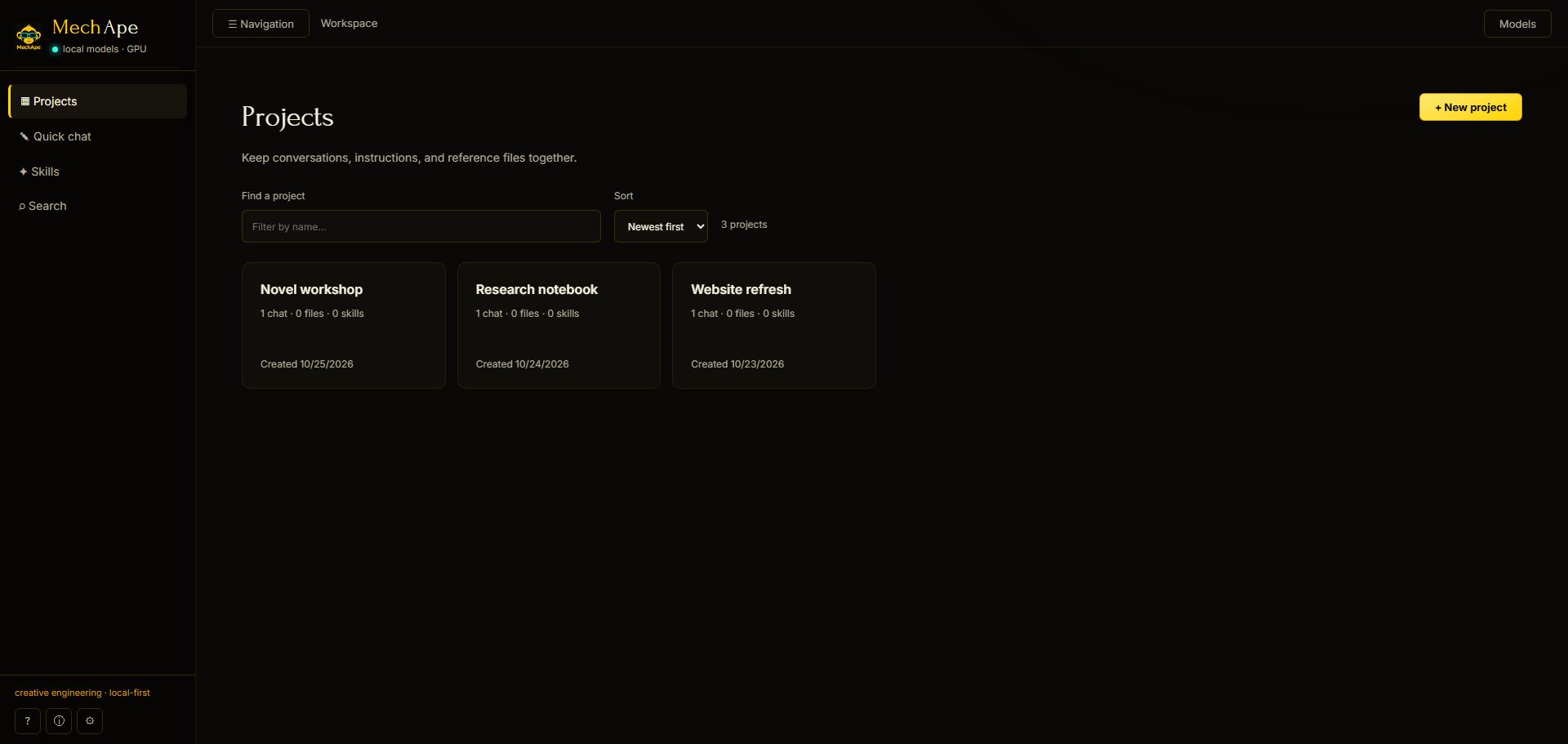
02 / PROJECTSEvery obsession gets its own drawer
Keep instructions, reference files, skills, and conversations together. Choose the context for each project. The optional local personal-memory feature is managed separately in Preferences.
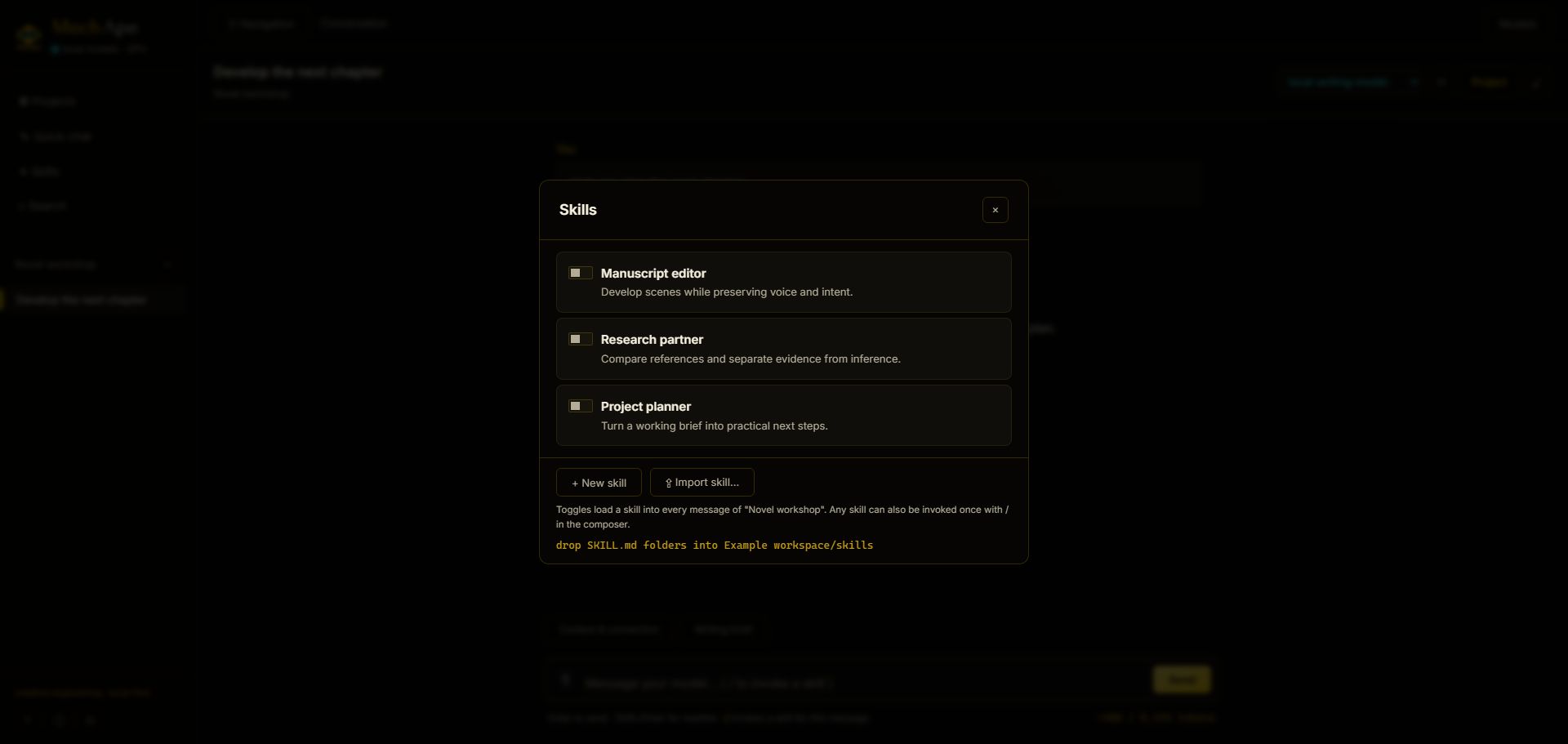
03 / SKILLSReusable skills for your process
Reusable instruction sets in the SKILL.md format — write them, import them, or have the AI draft its own. Toggle them per project or summon one mid-message with a /. Your model, newly employable.
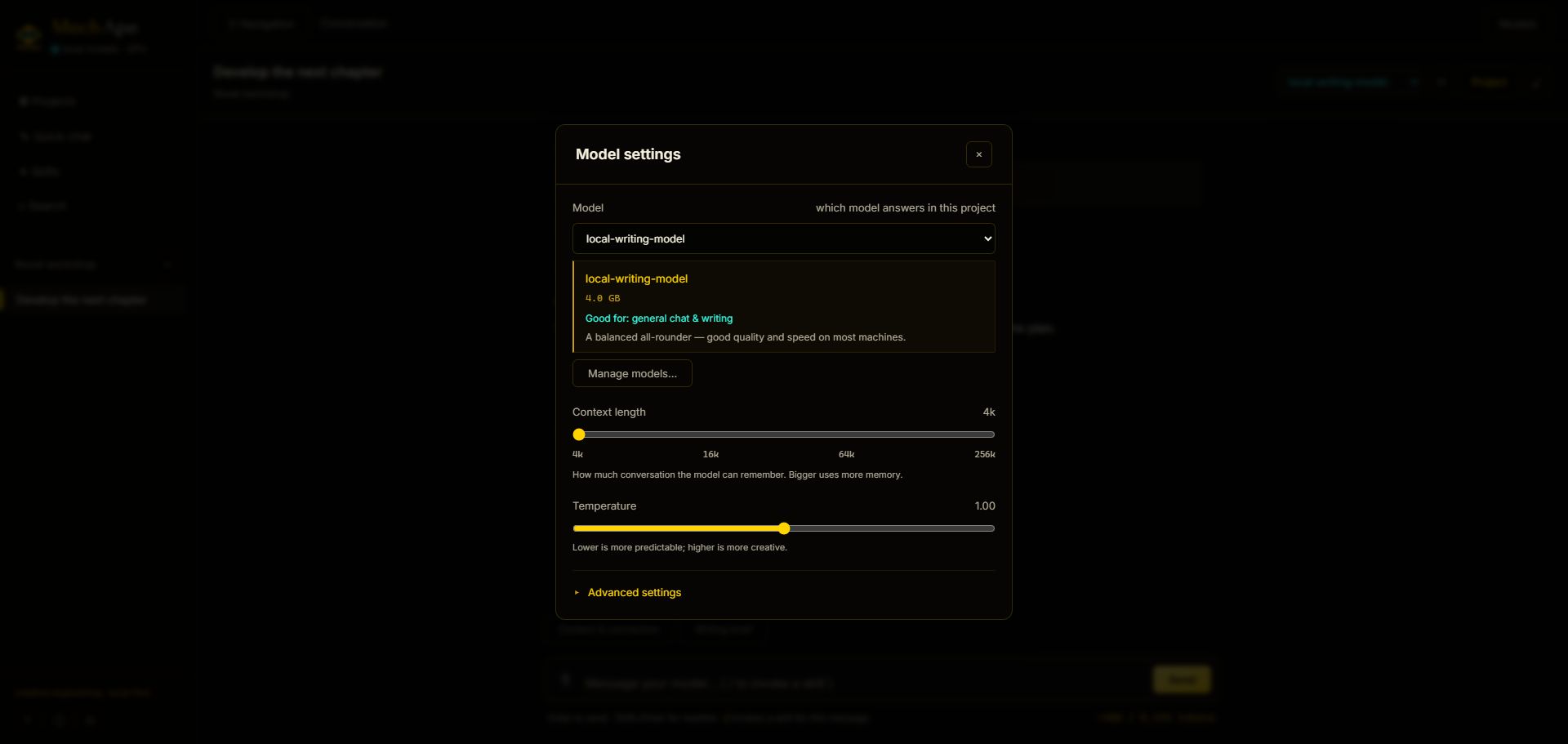
04 / MODELSIt brings its own engine
MechApe bundles a verified llama.cpp runtime and manages local models for you. Model files are separate downloads; NVIDIA CUDA support may require an additional runtime download. Windows is the currently exercised platform.
Desktop 2.0.2 · Obsidian 0.1.10
Desktop 2.0.2 fixes writing-brief editor readability across all seven themes. The signed Windows release passed fresh-install and 2.0.0 upgrade, backup and restore checks. Screenshots below were captured from 2.0.1.
More control over context, drafts, and recovery.
Both editions now let you inspect context, draft a writing brief for review, and branch a conversation. Each works independently.
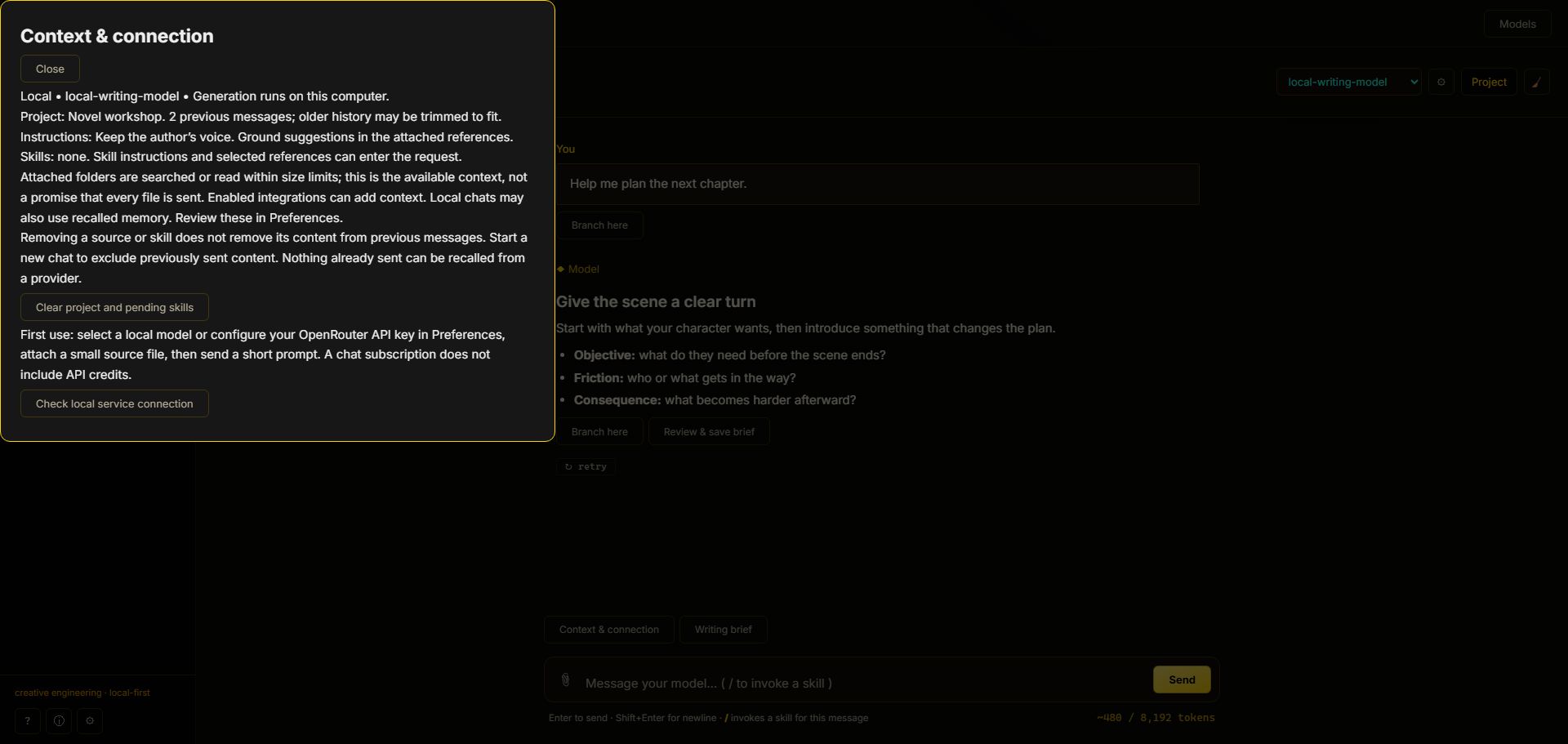
See what informs the reply
Inspect the selected model, local or cloud destination, project context, skills, and attachments. Removing an attachment does not erase earlier messages or recall content already sent to a provider.
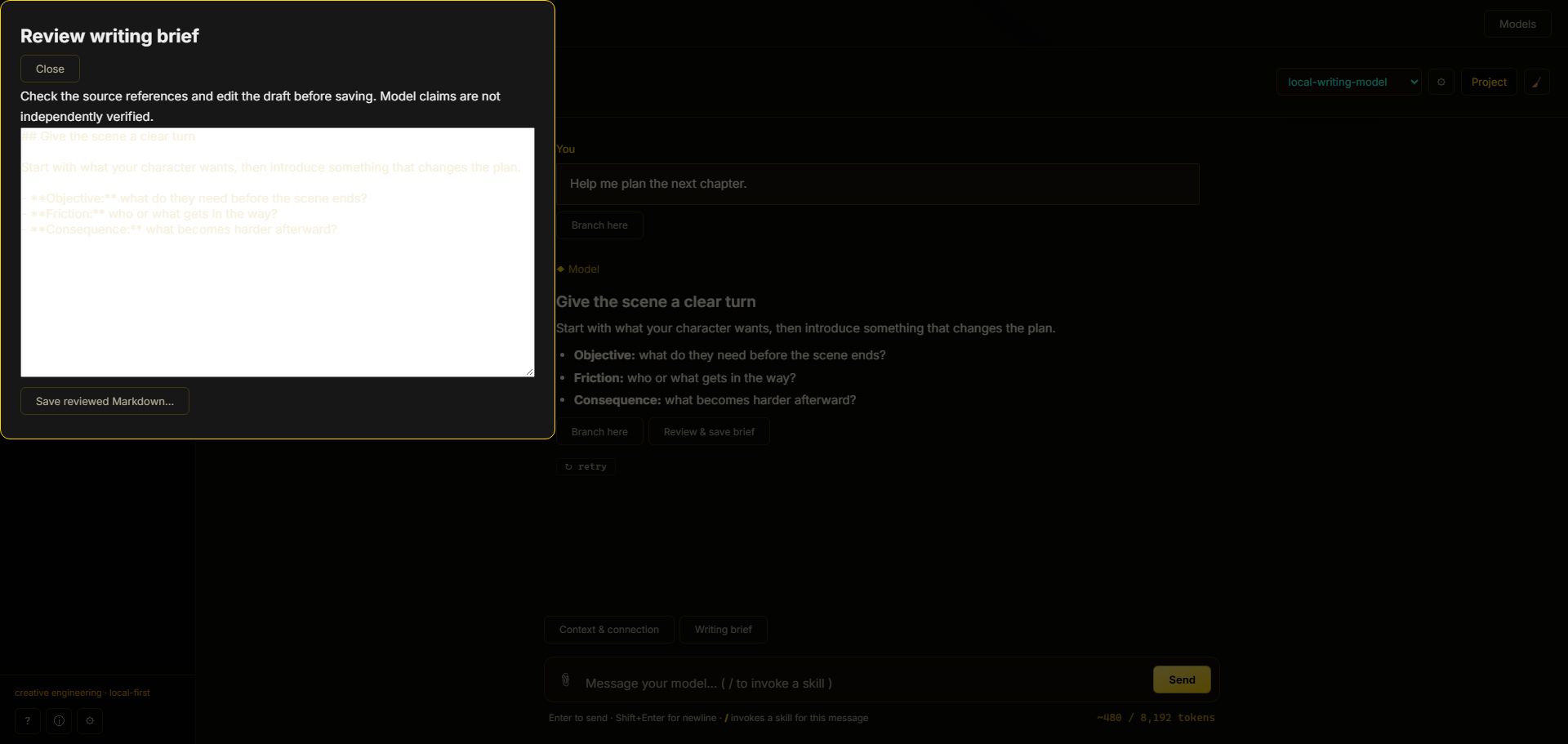
Draft, review, then save
Start with the Writing brief prompt, check the sources and claims, then edit the answer before saving it as Markdown. Branch here explores another direction while retaining the original conversation; previous tool actions are not replayed.
Desktop: guided backup and restore
Back up projects, chats, and custom skills, with memories and theme supported. Preview an archive before confirming restoration into new copies. External source attachments are detached in restored copies: back up those original files separately and reconnect only what you need. Provider credentials, models, and machine-specific settings are not included.
// the full inventory
What’s in the box
Live File Knowledge
Attach files or whole folders and MechApe reads them fresh from disk every time — edit a file, and the next message already knows.
On-Device Retrieval
Large attachments get indexed with local embeddings — so relevant passages can be retrieved without sending the entire file.
Seven Themes
Four dark and three light palettes. Your eyes deserve options; your late-night sessions demand them.
Remote Models
Optional cloud models use your own provider account and API key. Provider-reported costs are shown when available; a missing price is not a free reply. Your provider invoice is authoritative.
Desktop App
A native Electron shell with the model engine already inside it, checksummed at build time and never fetched behind your back. Or run it in the browser — loopback only, with DNS-rebinding and CSRF protections standing guard.
Free Obsidian Community Edition
MechApe for Obsidian is the free, open-source Obsidian edition: sidebar chat, reusable skills, and tools for working with your notes. The full desktop app is a separate paid edition.
// the paid desktop edition
MechApe 2.x — US$29 once
Cloud API charges are separate. US$29 buys the desktop app, not AI credits. Cloud models require your own API key and are billed separately by the provider. A ChatGPT or Claude chat subscription does not include API credits. Local models use your hardware and require separate model downloads.
Available now: MechApe Desktop 2.0.2 for Windows x64. US$29 once, with updates within 2.x and a 30-day refund period. Download the signed installer after checkout. Applicable tax is shown before payment.
The free community edition is MechApe for Obsidian. It requires no desktop purchase. The full MechApe desktop app is a separate paid edition.
What does the US$29 purchase include?
Use the purchased major version without a purchase expiry date. Updates within version 2.x are included; future major-version upgrades may be sold separately. No recurring subscription.
- One active device per license. No activation key or online activation server is required. To move devices, discontinue use on the previous device and keep backups of your work.
- 30-day refund period from purchase. Email [email protected] with your order reference to request a refund.
- Local models use your own hardware. Cloud-provider API usage is paid separately.
- Payhip provides the installer ZIP on the download page and by email. Extract the ZIP and follow START-HERE.txt.
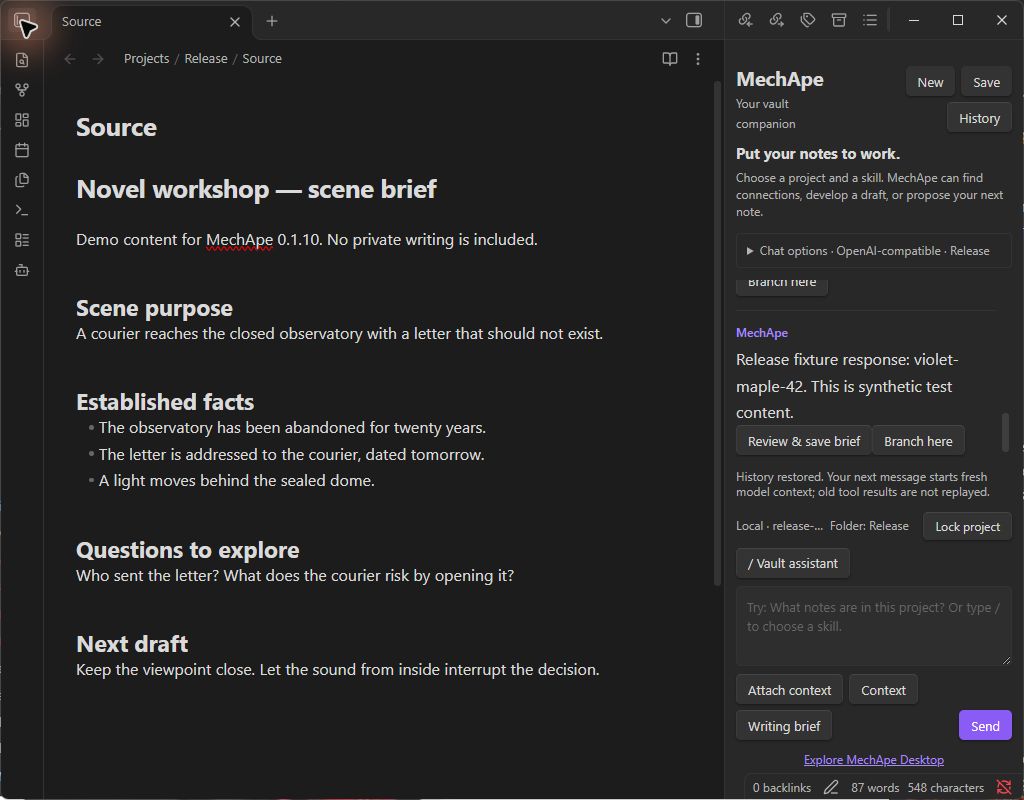
// free community edition
MechApe for Obsidian
MechApe for Obsidian 0.1.10 is free and MIT-licensed. Inspect context, draft and review writing briefs, branch conversations, and stream replies with Stop. Search projects and models, invoke skills with /, and review proposed note changes before applying them. Project boundaries, excluded folders, and read-only skills remain enforced. Cloud API usage is billed separately by your chosen provider.
Download the published 0.1.10 release from GitHub or visit the Obsidian Community directory listing. Requires Obsidian 1.14.5 or later on desktop. No paid desktop license or activation required.
Good to know
Frequently asked questions
What is MechApe’s code signing policy?
The Windows 2.0.2 app, installer, and uninstaller are digitally signed and timestamped through Azure Artifact Signing. The ZIP includes a SHA256 checksum. New signed software may still display a Windows SmartScreen reputation warning.
MechApe is maintained by Coda Languez. Third-party runtime components retain their own licenses and notices. Review the release notes and checksums for the exact artifact you install.
What stays on my device, and what goes online?
Local-model chats and retrieval run on your machine. When you choose a cloud provider or external tool, the content needed for that request is sent to that service. Model and runtime downloads also use the network. This release does not require an activation key or an online licensing service.
Privacy software that hides its own data flows isn’t privacy software. It’s marketing.
Coda Languez · Creative Engineering
Creative tools that carry your intent from notes to finished work.
MechApe Desktop develops ideas with project context. The free MechApe plugin brings reviewed AI assistance into Obsidian. Each works independently.
MechApe Image Studio · In development
A separate paid app for image generation, editing, and editable typography. Development builds support selected project context and an optional local Obsidian connection. Purchases are not open. No Studio purchase is required to use the free plugin.
NovelDispatch + BibleCreator · Roadmap
NovelDispatch focuses on preparing work for publication. BibleCreator is a planned story and world-bible workspace. Shared canon, provenance, and cross-app project handoffs are roadmap work, not promises of the current MechApe release.
Your project. Your process. Your creative work.
Choose the free, open-source Obsidian community edition or the separate paid MechApe desktop app.